

The Home Ministry’s cybercrime unit has warned that a WhatsApp Web session left open on a computer can be used to read your chats and message your contacts as you. Closing the browser tab is not enough. Here is what the warning says, and a two-minute check you should do today.
Picture a busy afternoon at work. You scan the QR code, reply to a few family messages on the big screen, then rush into a meeting. You close the tab and forget about it.
Your WhatsApp may still be logged in on that computer. Anyone who sits down at it later could open your chats, see your contacts and groups, and send messages that look exactly like they came from you.
That is the scenario the Indian Cyber Crime Coordination Centre (I4C), which works under the Union Home Ministry, is warning about. Its National Cybercrime Threat Analytics Unit put out an advisory dated 18 November, which was widely reported on Monday.
What exactly is the risk?
WhatsApp Web works by linking a browser to the WhatsApp account on your phone. Once linked, that browser stays connected until you log out, even if you close the tab.
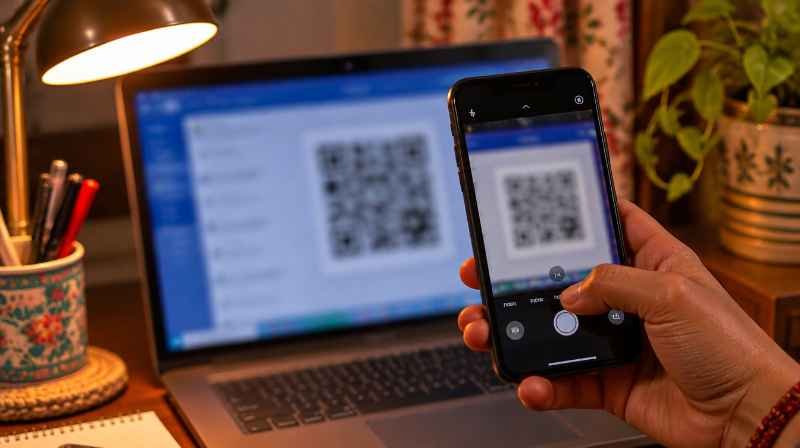
According to I4C, someone with access to such a session can read your messages, send messages pretending to be you, and see your contacts and group chats. The real danger is the trust attached to your number. A message from you asking a relative for urgent money, or telling a colleague to open a file, is far more convincing than one from a stranger.
It is worth being clear about what this is not. The advisory does not say WhatsApp has been hacked or that its encryption is broken. Your chats are still encrypted on their way between phones. The problem is simpler: a computer that is already logged in will show your chats to whoever is sitting in front of it.
Why the government is worried now
This is not a theoretical risk. Earlier this year, the Home Ministry saw a rise in complaints about WhatsApp accounts being taken over.
In one campaign, criminals sent ZIP files with official-sounding names such as “Statement of Account”, “RBI” and “MCA” over WhatsApp, email and SMS. Opening one on a Windows computer installed malware that took over the victim’s open WhatsApp Web session. The malware then forwarded the same files to the victim’s contacts and groups, often with a note asking them to pass it to the accounts team.
The final step was what police call a “boss scam”. Using a hijacked account, or a number saved under the name of a company’s CEO, the criminals messaged finance staff asking them to urgently transfer money for a “vendor payment”. Chartered accountants, company directors and accounts teams were the main targets, with cases reported from Delhi, Gujarat, Maharashtra, Rajasthan and other states. I4C said it sent warning SMS messages to more than 58,000 potential victims in a single month.
The two-minute check: who is logged in to your WhatsApp?
Do this now, on your phone. Open WhatsApp and tap the three dots at the top right on Android, or Settings on an iPhone. Tap Linked devices. You will see every computer and browser currently connected to your account, with the time each was last active.
If you see a device you do not recognise, or an old office or cyber café computer you no longer use, tap it and choose Log out. This works remotely, so you do not need to go back to that computer.
While you are in settings, it is a good idea to switch on Two-step verification under Account. It adds a PIN that someone would need to register your number on a new phone.
What I4C says you should do
The most important rule is simple: always log out of WhatsApp Web manually when you are done. In WhatsApp Web, click the menu and choose Log out. The advisory says plainly that closing a tab or window should not be treated as logging out.
Avoid using WhatsApp Web on computers you do not control, such as cyber cafés, hotel business centres, public kiosks or a friend’s laptop. If you really have to, use a private or incognito window on a computer you trust, and still log out at the end. Private browsing is an extra layer, not a replacement for logging out.
Do not share official, financial or confidential information through WhatsApp Web, especially on office computers. If your workplace has an approved channel for sensitive documents, use that instead.
Keep your computer’s operating system, browser and antivirus updated, and do not open unexpected ZIP files, unknown attachments or pirated software. Treat any QR code or device-linking request you did not start as a red flag.
If you think your account has been misused
Signs to watch for include messages in your chats that you did not send, contacts replying to things you never said, or friends asking about a strange file or payment request from you.
If that happens, go to Linked devices on your phone straight away and log out of every computer. Then warn your contacts through a phone call or another app, so they do not open any links or send money. If anyone has lost money, call the national cybercrime helpline 1930 as quickly as possible and file a complaint at cybercrime.gov.in. The sooner a fraud is reported, the better the chance of freezing the money.
The bottom line
WhatsApp Web is safe enough on your own computer, used sensibly. The risk comes from leaving it open on machines other people can reach. Log out every time, check your linked devices now and then, and treat any urgent money request on WhatsApp, even from your boss or your brother, as something to confirm with a phone call first.
Sources
I4C/NCTAU advisory of 18 November 2026, as reported by Outlook, India TV and Cyber Security News; ZIP malware and “boss scam” campaign via The420.in; linked-device steps from WhatsApp’s help centre.
Read next



Discover more from Khabar Mitra
Subscribe to get the latest posts sent to your email.